Using 3D PC Build Visualizers Before Buying Parts
Visualizers catch incompatible parts and aesthetic mismatches before you buy.

Summary
Visualizers catch incompatible parts and aesthetic mismatches before you buy.
A 3D PC build visualizer helps catch incompatible parts, tight clearances, and disappointing visual choices before anything ships. Its practical value is simple. Seeing the planned build makes it easier to spot an expensive mistake while changing a part is still a choice.
Why compatibility mistakes in PC building are expensive and common
A high-end GPU arrives, but it will not fit inside the case. The card is longer than the space available, and no amount of careful assembly can change that. High-end GPUs are often longer than 340mm, so buying a large card without checking case clearance is risky. The build stops before it is complete. Time and money are tied up in parts that cannot work together as chosen.
That is a clearance conflict, one of two basic errors that can stop a build cold. The other is a socket mismatch, where the CPU and motherboard are physically incompatible. These are hard constraints, and a good price on either part does not make the pair usable. A step-by-step check before buying catches those constraints before the builder has to deal with them.
First-time builders are most exposed to these mistakes, but experience does not remove the risk. A new platform or case form factor can change the rules that made an earlier build easy. Familiarity is not a clearance measurement. The useful distinction is therefore not between beginners and experts, but between a selection that has been checked as a complete build and a collection of parts that each looked right on its own.
How the PC case became an aesthetic object, not just an enclosure
The case now serves as the visual centerpiece of a desk setup. Builders choose its materials and appearance as well as its cooling capacity. That changes what counts as a successful purchase. A build can fit together well and still look nothing like the setup its owner had in mind.
The “fish tank” pillarless panoramic aesthetic defines the leading case category in 2026. Seamless tempered glass panels at the front and side put the components on show with light shining on them. With that much of the interior exposed, the parts become part of the case’s appearance. Their arrangement is on show. Photos of each product on its own cannot show how those choices will look together inside the chosen enclosure.
“Quiet Luxury” builds favor walnut wood surfaces, leather desk mats, and matte black peripherals over RGB, while other styles favor moody blue palettes or warm minimalism. A lighting preview gives a builder a way to decide whether RGB supports the intended look instead of buying it first and judging the result later. This is where a 3D view earns its place even after the basic compatibility checks pass, because physical fit and visual fit are different questions.
What a 3D visualizer actually does during the planning phase
A 3D visualizer turns a component list into an assembled model that changes as parts are selected. The builder can see where each part sits inside the chosen case instead of working out how dimensions and product images fit together in their head. The model updates in real time. As a result, the effect of a change is visible during selection, when an alternative can still be considered without replacing a purchase.
Compatibility checking works beside that model, checking socket type, DDR generation, power draw, and physical dimensions as components are added. The render and the checks answer different questions. A socket check establishes whether the selected CPU belongs on the motherboard, while the model shows how a large GPU occupies the case interior 1. Neither view needs to replace the other for the combination to be useful.
The same tool can show lighting for each part and zone, the direction of fan intake and exhaust, and rough FPS estimates drawn from benchmark data at target resolutions. Built-in price comparison across retailers shows how a swap affects the budget as parts are chosen.
The clearest example is a fan mount. A 140mm fan may seem like a good choice until the chosen case’s rear slot shows that it cannot mount there. The visualizer makes the relationship between the fan and its intended position visible before the builder buys it.
The specific features that address pre-purchase risk in practice
Real-time compatibility checking does the most to keep builders from buying the wrong parts. Socket, clearance, DDR type, and power draw checks address whether the proposed selection works together. That distinction sets the order of value. Lighting controls are useful, but they cannot rescue a CPU and motherboard with incompatible sockets.
A part with an accurate full 3D model gives a more reliable view of clearance and appearance than a wireframe placeholder. A wireframe still helps with spatial orientation. It is less precise, however, so not every component shown in a scene supports the same confidence in the final preview.
Fan airflow visualization serves a narrower purpose than its moving arrows might suggest. It shows intake and exhaust orientation and helps expose obvious directional mistakes. It is not a thermal simulation. Likewise, an FPS estimate is useful for judging the broad performance target, but it does not capture AI upscaling headroom.
The preview can also extend beyond the case. AR preview on iOS lets a builder see the configured PC in the space on the desk, floor, or shelf where it will go before buying it. The full desk setup 3D configurator, released October 2026, covers desks, monitors, keyboards, mice, and chairs across 200+ setup parts in 10+ categories and is available on web, iOS, and Android. Its role is different from a socket check. It helps judge the complete setting in which the PC will sit, rather than only the arrangement behind its glass panels.
What the visualizer does not do, and where to use other tools alongside it
A clean render is not a cooling guarantee. The airflow view does not model static pressure ratings, fan curve behavior, GPU cooler type, or obstruction geometry. It does not distinguish the thermal consequences of a blower cooler from those of an open-air cooler. Correct intake and exhaust orientation can therefore coexist with poor thermal performance if the component choices are poor.
That limit also rules out treating the scene as an acoustic guarantee. The view shows how the parts are laid out but cannot tell how the finished machine will sound. Model coverage introduces a separate uncertainty. Newer or niche components are more likely to appear as wireframe placeholders, so a recent release may be selectable without having a full visual representation.
Performance estimates have a different boundary. They use benchmark data for base GPU and CPU performance but leave out DLSS 4.5 with Dynamic Multi-Frame Generation. Performance with upscaling enabled will differ from the displayed estimate. The number is a directional guide.
For a fast compatibility check without a full assembly session, Koukan is a UK-based compatibility checker offering real-time socket, clearance, power draw, and DDR checks without requiring sign-up. NEONRIG offers GPU and CPU drop-in, rotation and zoom, instant FPS and performance scores, compatibility checks, and bottleneck analysis. These descriptions help distinguish the available functions, but they do not establish that every tool models every part or predicts cooling.
How to run a pre-purchase visualization session that actually catches mistakes
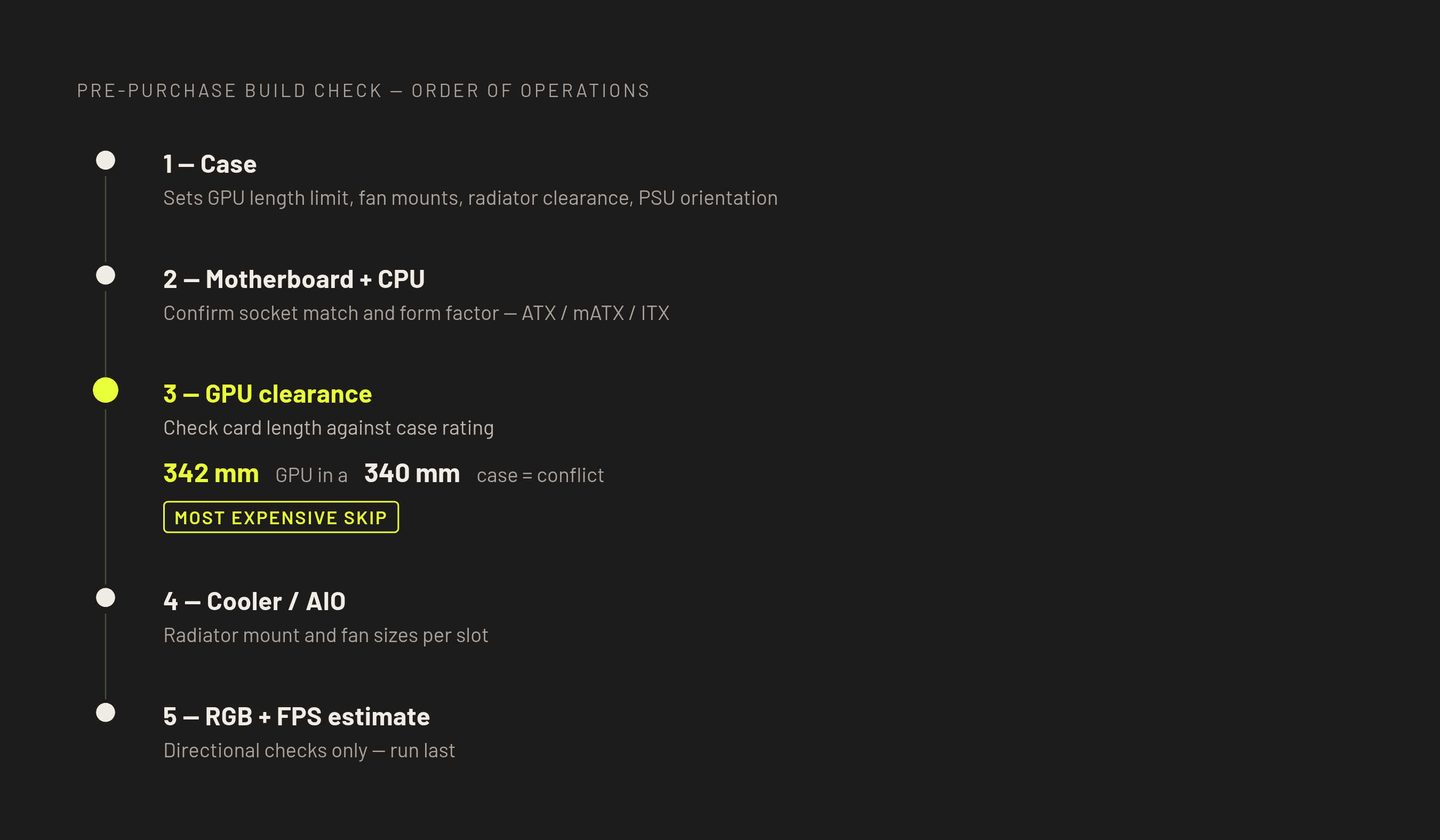
To turn those capabilities into a useful buying discipline, start with the case. The case sets the GPU length limit, fan mount sizes, radiator clearance, and PSU orientation that the rest of the parts must fit. It is the physical boundary of the build. Selecting it first gives every later clearance check a fixed reference instead of letting the enclosure become an afterthought.
Add the motherboard and CPU together, then confirm socket compatibility and whether the board’s form factor, ATX, mATX, or ITX, is supported by the case. Next, add the GPU and check its clearance inside the case in the render. A 342mm GPU in a case rated to 340mm is already a conflict. The dimensions establish the mismatch, while the assembled view makes the consequence harder to overlook in a set of separate specifications. It also provides context for a card that crowds a front intake.
Add the tower cooler or AIO after those core parts, checking CPU socket compatibility and where the radiator mount will go. Then check which fan sizes fit at each planned mount. This is the payoff of working in sequence. A 140mm fan that cannot use the rear slot becomes a decision to change before purchase. The airflow overlay can then help check the direction of fans in the layout that actually fits.
Run the RGB and lighting preview once the parts and their positions are set. The colors for each part and the zone settings now apply to a build that fits, so changes to its look are based on parts that can go together. Use the FPS estimate as a directional check against the target resolution and frame rate, treating it as a floor rather than an upper bound when AI upscaling is available. For a build targeting 1440p at 100+ FPS, an illustrative recommended configuration to validate is a 7800X3D with an RTX 5070 Ti or RX 9070 XT, 32GB DDR5-6000, and a 750W Gold PSU. That pairing still belongs inside the same case, clearance, and cooling checks as any other selection.
Why pre-purchase visualization is becoming a standard step, not an optional extra
When RAM prices rise sharply in a single quarter, committing money to an incompatible selection becomes more costly. At the same time, GPU lengths, AIO radiator sizes, and case panel designs have grown more varied and less forgiving. There is more to reconcile before ordering. A list of specifications remains useful, but it does not make every physical relationship easy to understand.
A product photo’s view of one component leaves the appearance of the chosen parts through the selected case panels and the fit of their lighting with the desk unseen. An assembled render addresses that gap. AR preview brings the plan into the actual room, while mobile access means the planning session need not stay at a desktop.
Combining checks, rendering, prices, performance estimates, and desk preview also reduces the friction of moving between separate tasks. That helps address a practical reason verification gets skipped. Library depth strengthens the process too, because more accurate models leave fewer parts represented only by placeholders. At the scale of a community with millions of completed builds, more builder data and more modeled parts can reinforce the tool’s usefulness for the next person planning a purchase.
The render still cannot take the place of checks it has no way to run. Its value is more specific and more credible than that. It exposes visible conflicts, connects component choices to their surroundings, and makes the remaining uncertainty easier to identify before payment. Seeing the build before buying is the better-informed way to spend serious money on components.